 Mac Assistant
Ask your Mac,
in your language.Chiedi al tuo Mac,
nella tua lingua.
A friendly assistant in your menu bar. Why is it slow? What is this process? Where did my space go? Is this pop-up a scam? The AI runs on your Mac: no cloud, no account, no tracking. Un assistente gentile nella barra dei menu. Perché è lento? Cos'è questo processo? Dove è finito lo spazio? Questo avviso è una truffa? L'AI lavora sul tuo Mac: niente cloud, niente account, niente tracciamento.
Free and open source · macOS 27 · Apple Silicon · Apple Intelligence Gratis e open source · macOS 27 · Apple Silicon · Apple Intelligence
What it doesCosa fa
Made for people who just want their Mac to work.Pensato per chi vuole solo che il Mac funzioni.
Check my MacControlla il mio Mac
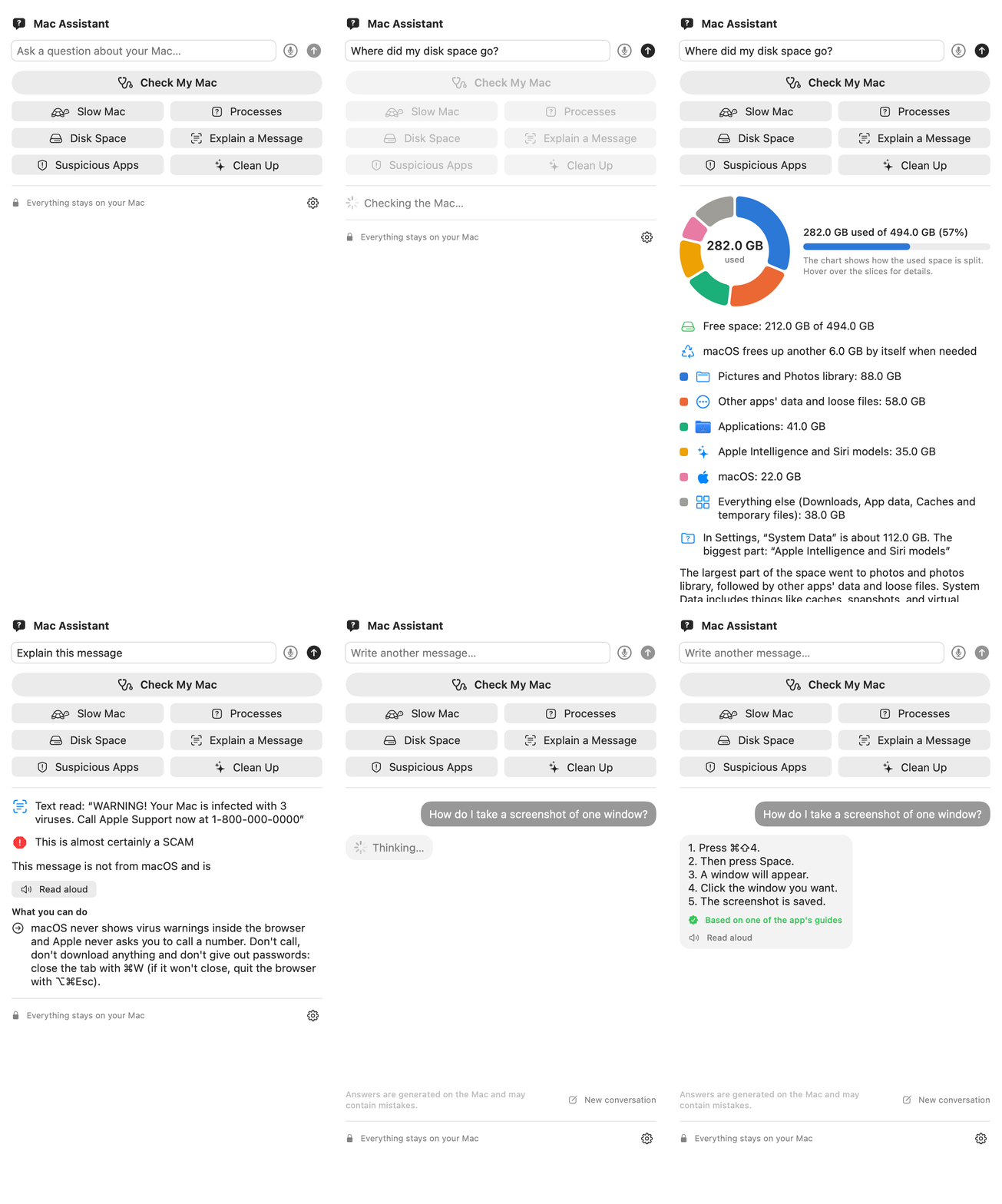
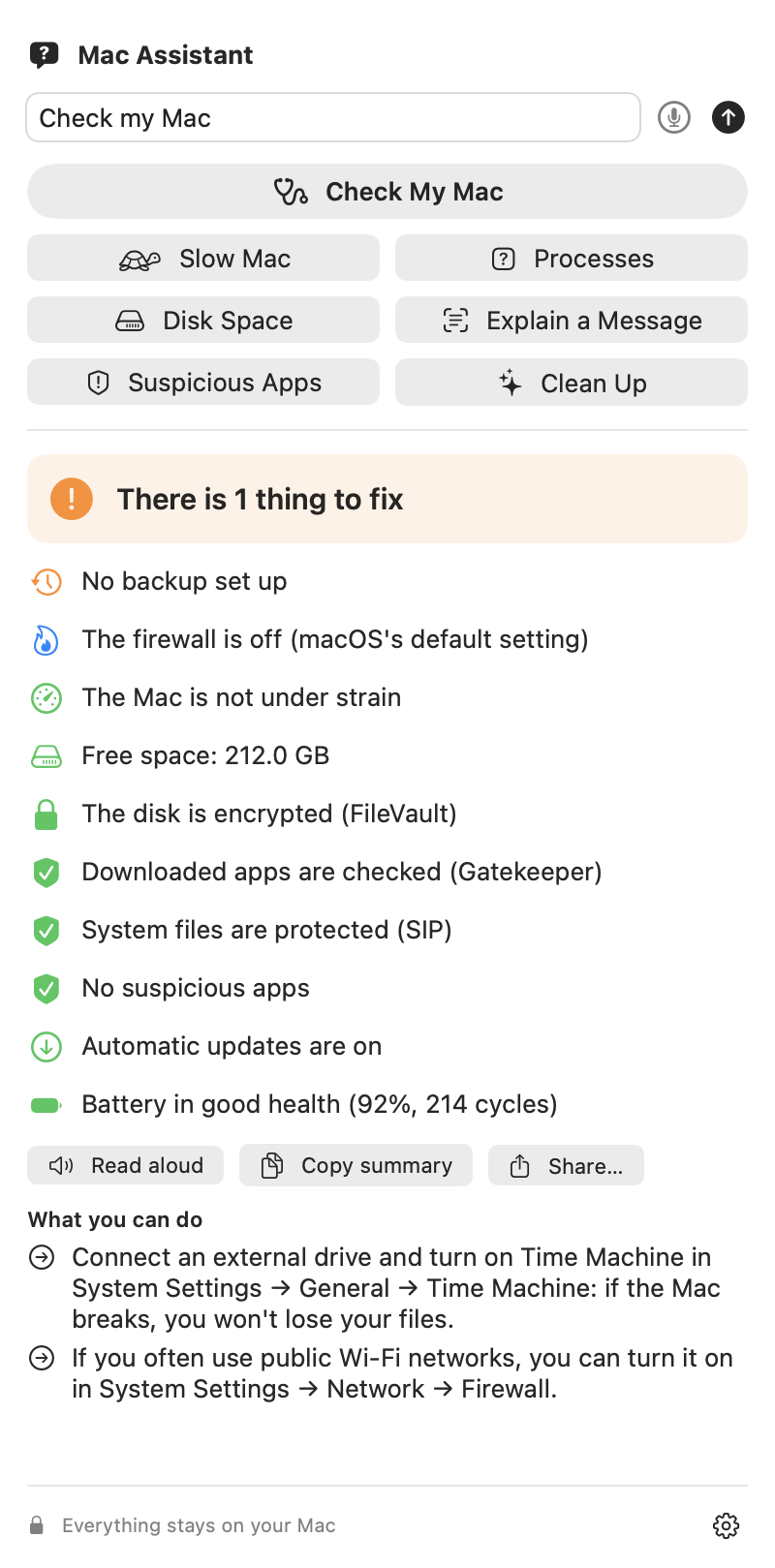
Speed, space, backup, encryption, updates, battery and suspicious apps in one click.Velocità, spazio, backup, cifratura, aggiornamenti, batteria e app sospette in un clic.
Why is it slow?Perché è lento?
Reads processor, memory and temperature, and tells you what's going on.Legge processore, memoria e temperatura e ti dice cosa sta succedendo.
Where did my space go?Dove è finito lo spazio?
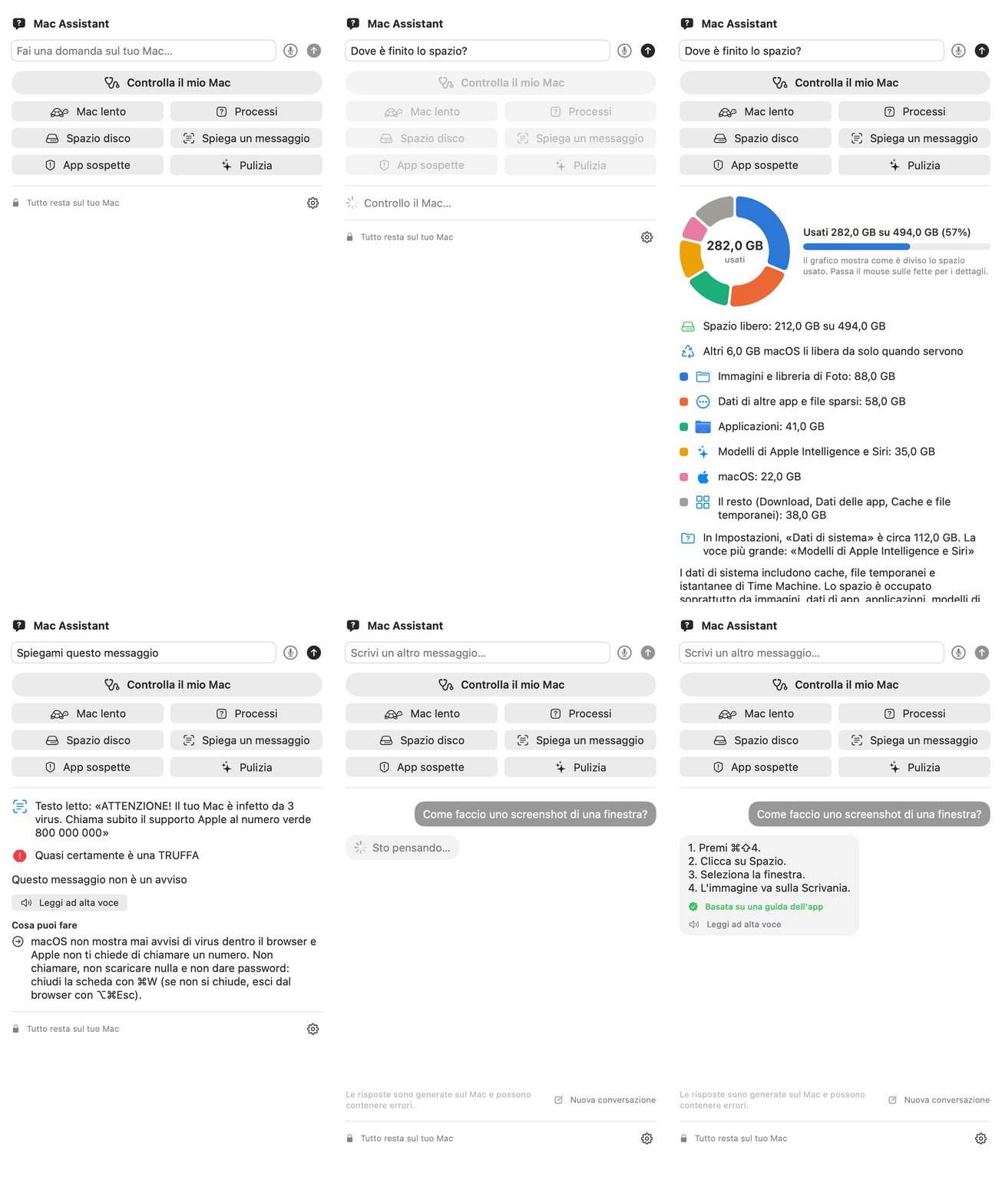
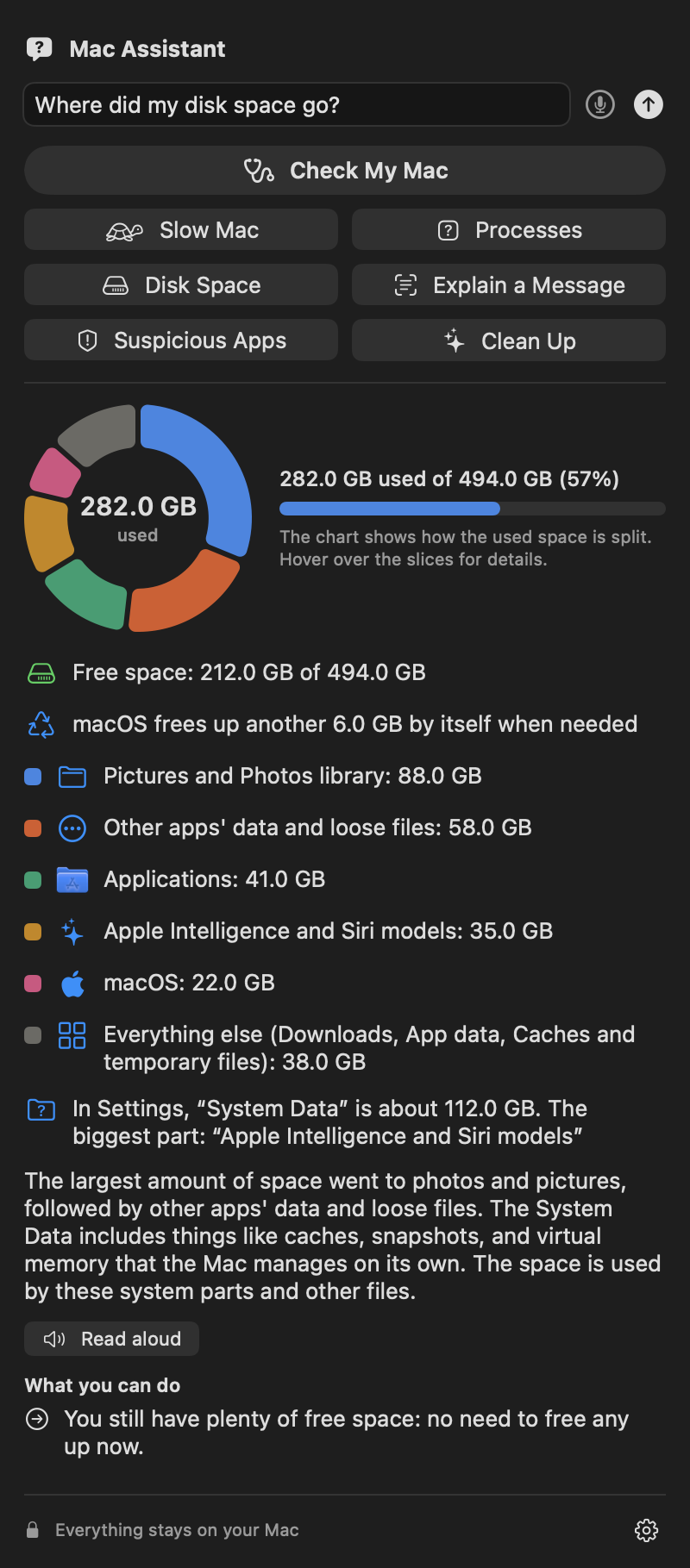
A clear chart, “System Data” explained, and a cleanup that only moves files to the Trash.Un grafico chiaro, i “Dati di sistema” spiegati e una pulizia che sposta i file solo nel Cestino.
Explain a messageSpiega un messaggio
Screenshot any alert and get it explained. Fake “your Mac is infected” pages are flagged.Fai uno screenshot di un avviso e te lo spiega. Le false pagine “il tuo Mac è infetto” vengono smascherate.
How do I…?Come si fa…?
Ask anything about using the Mac. Common answers come from checked guides.Chiedi qualsiasi cosa sull'uso del Mac. Le risposte più comuni vengono da guide controllate.
Alerts and voiceAvvisi e voce
A heads-up when a problem lasts, questions by voice, answers read aloud, ⌥Space from anywhere.Un avviso quando un problema dura, domande a voce, risposte lette ad alta voce, ⌥Spazio da ovunque.
A closer lookPiù da vicino
Light and dark, in English and Italian.Chiaro e scuro, in italiano e in inglese.
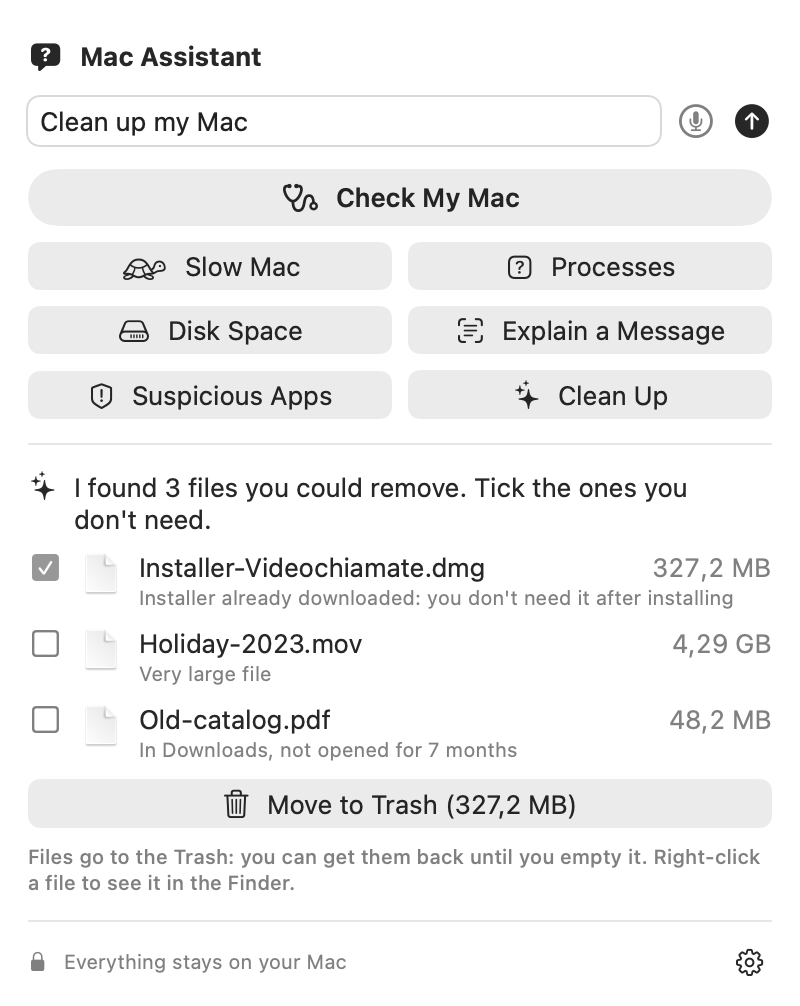
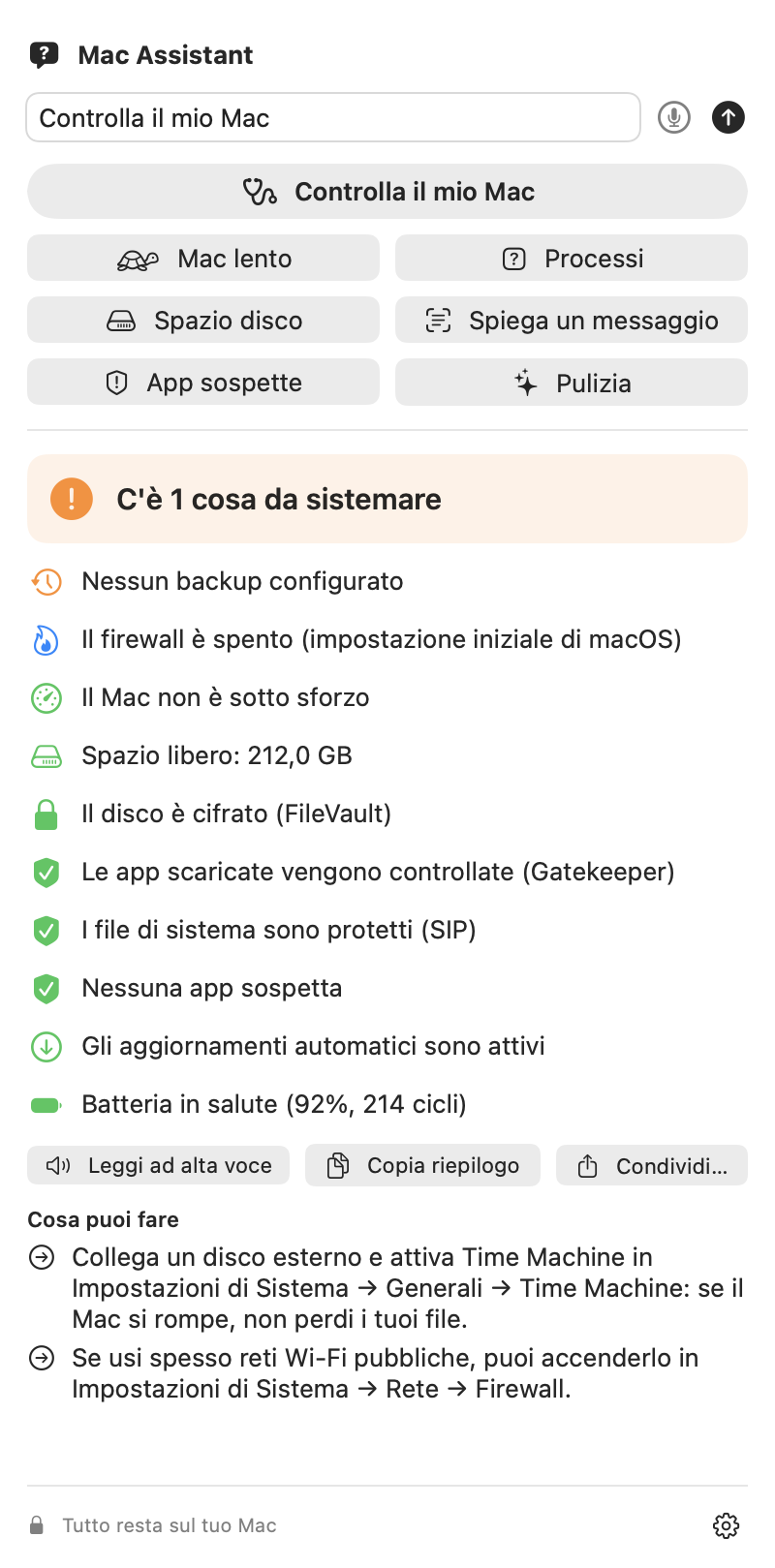
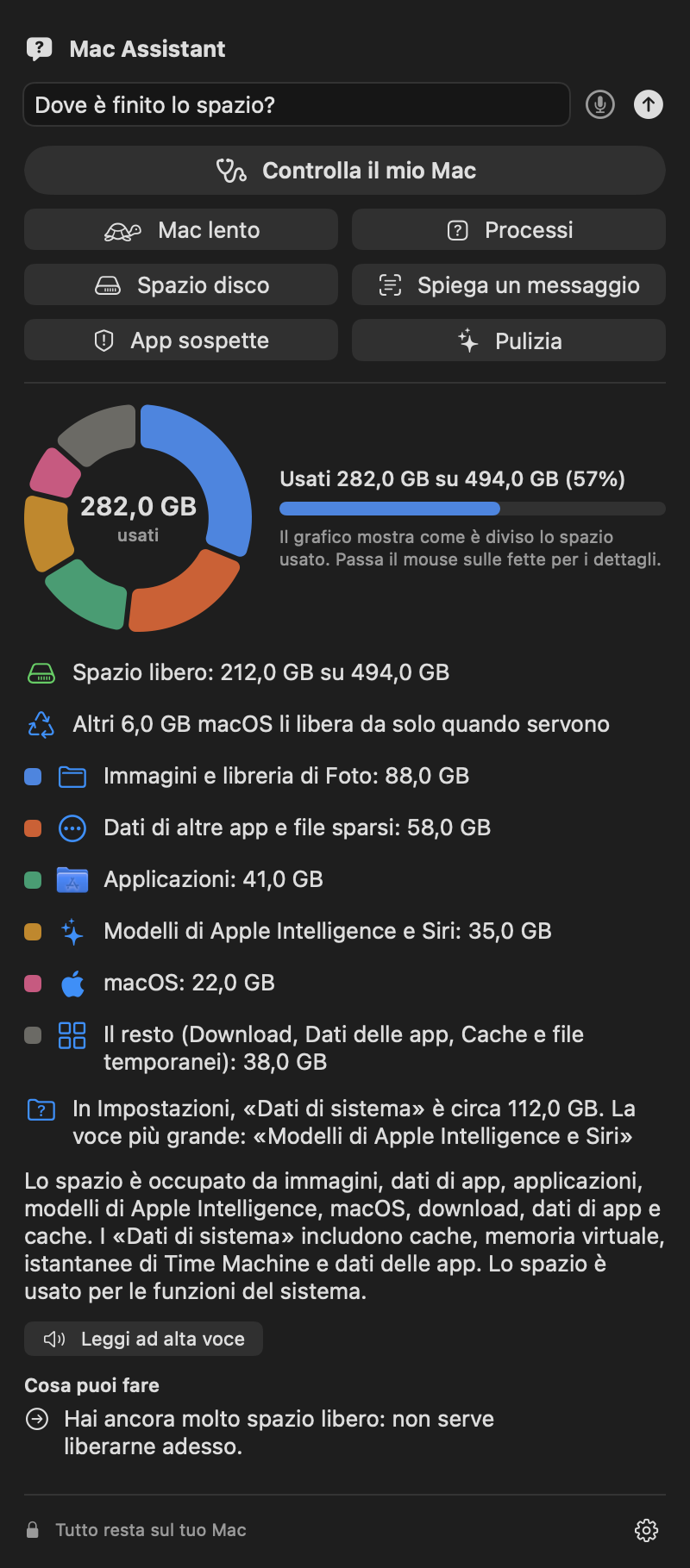
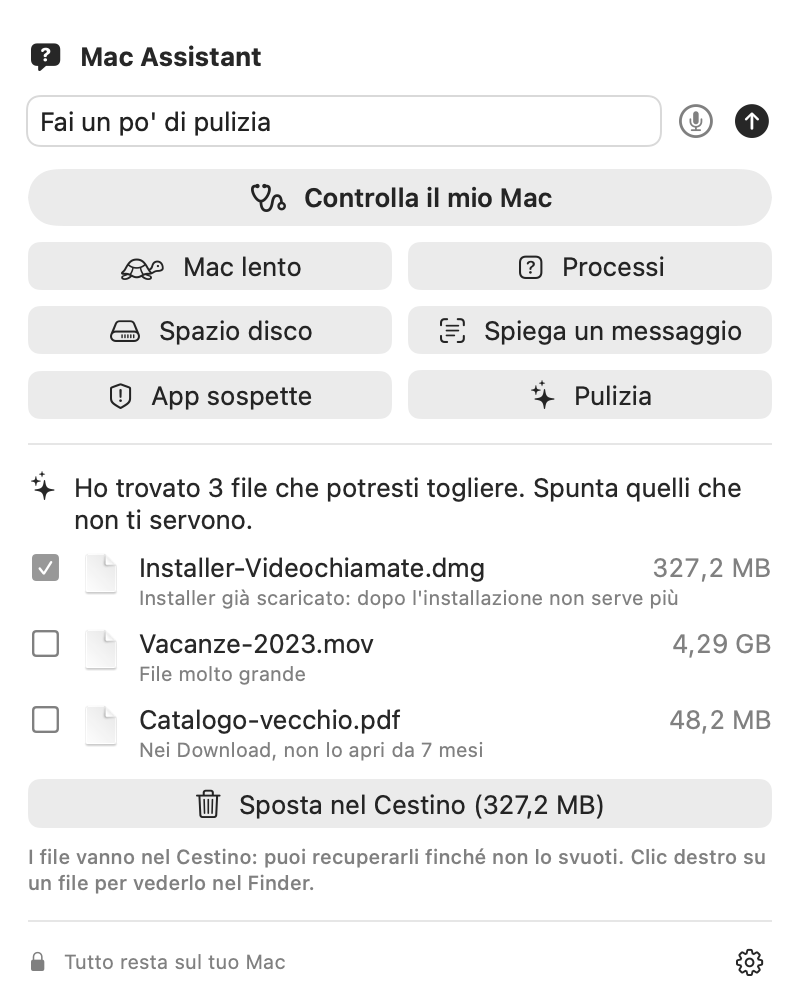
Private by designPrivato per davvero
Nothing you ask, say or screenshot leaves your Mac.Niente di quello che chiedi, dici o fotografi lascia il tuo Mac.
First launchPrimo avvio
The app isn't notarized by Apple yet, so macOS asks you to confirm once.L'app non è ancora notarizzata da Apple, quindi macOS ti chiede una conferma la prima volta.
- Download and unzip MacAssistant.zip, then move Mac Assistant to Applications.
- Open it. If macOS says it can't verify the developer, open System Settings → Privacy & Security, scroll down and click Open Anyway.
- Look for the speech bubble in the menu bar, or press ⌥Space.
- Scarica ed estrai MacAssistant.zip, poi sposta Mac Assistant in Applicazioni.
- Aprila. Se macOS dice che non può verificare lo sviluppatore, apri Impostazioni di Sistema → Privacy e sicurezza, scorri in basso e premi Apri comunque.
- Cerca il fumetto nella barra dei menu, oppure premi ⌥Spazio.